Two lifetimes, one type
getString, getSystemService, and startActivity all take a Context. The object you pass is not interchangeable once you store it or use it to build UI.
-
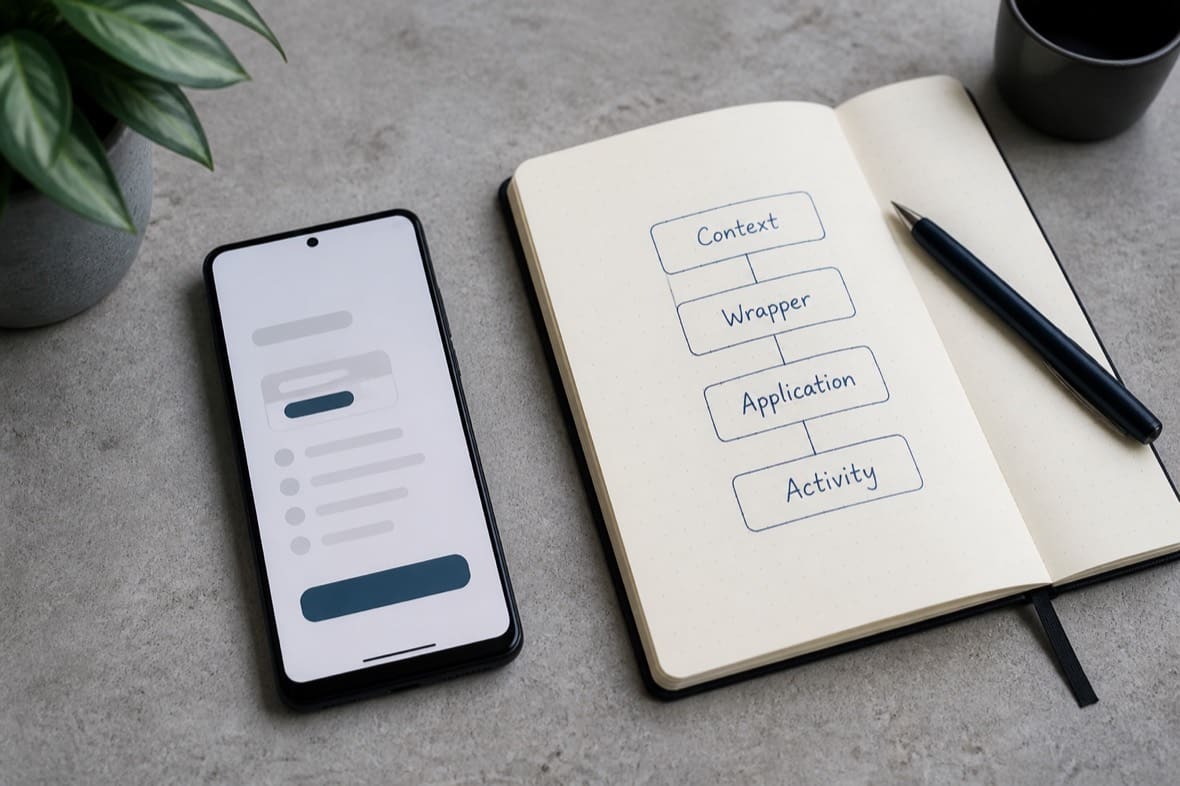
Application : one per process.
getApplicationContext()returns it. It outlives every screen. -
Activity : a
ContextThemeWrappertied to a window.thisin the Activity, and usuallyFragment.getContext()/View.contextwhile the screen is attached.
A Service’s this is a component Context without a theme. Treat it like the application for anything that resolves ?attr or shows a dialog.
If it outlives the screen, do not keep the Activity
A repository, an image pipeline, or a static cache that takes Context in get() will keep whatever you handed it for the process lifetime.
class DeviceInfo(
    private val context: Context
) {
    fun appName(): String =
        context.packageManager
            .getApplicationLabel(context.applicationInfo)
            .toString()
}

val info = DeviceInfo(activity)
PackageManager does not need a window. Pass activity.applicationContext (or inject Application). If DeviceInfo is a singleton, the Activity — and every view it still holds — cannot be collected after onDestroy.
getContext() on a Fragment is the same trap after onDetach: it is null, or it is an Activity you should not cache.
If it draws, use the themed Context
LayoutInflater and AlertDialog read colors and ?attr from the Context’s theme. The application theme is the app default, not the Activity overlay.
class RowHolder(view: View) : RecyclerView.ViewHolder(view) {
    fun bind() {
        val row = LayoutInflater.from(itemView.context)
            .inflate(R.layout.session_row, itemView as ViewGroup, false)
    }
}
itemView.context is the Activity (or a wrapper the Activity installed). LayoutInflater.from(app) will inflate, then look like a different product.
A one-off overlay is a wrapper, not a second Activity:
val dialogContext = ContextThemeWrapper(this, R.style.Theme_App_Dialog)
MaterialAlertDialogBuilder(dialogContext).show()
Starting a screen from outside an Activity
Activity.startActivity has a task. Application and Service do not.
fun openSettings(app: Application) {
    app.startActivity(
        Intent(app, SettingsActivity::class.java)
            .addFlags(Intent.FLAG_ACTIVITY_NEW_TASK)
    )
}
Skip the flag and the call throws. Prefer not to start Activities from the application at all; a notification or a View click already has the right Context.
Wrapping at attach time
Locale or density overrides belong on the Context the system hands the Activity, before super:
override fun attachBaseContext(newBase: Context) {
    val config = Configuration(newBase.resources.configuration)
    config.setLocale(locale)
    super.attachBaseContext(newBase.createConfigurationContext(config))
}
After that, this is the themed Activity. Inflate and show dialogs with it, not with the object you passed to super.
A receiver’s onReceive Context is only valid for that callback. Finish the work or hop to applicationContext. Do not inflate with it.
The matching rule
Keep Context off types that do not need it. When they do:
-
Window, dialog, inflate, theme attributes : the Activity (or a
ContextThemeWrapperaround it). -
Anything stored longer than the screen :
applicationContext.